Personal Center
Module Overview
Personal Center is used to maintain your account profile, contact information, and security credentials. It provides screen lock and sign-out functions, and centrally manages your personal information and account security settings across the platform.
Access
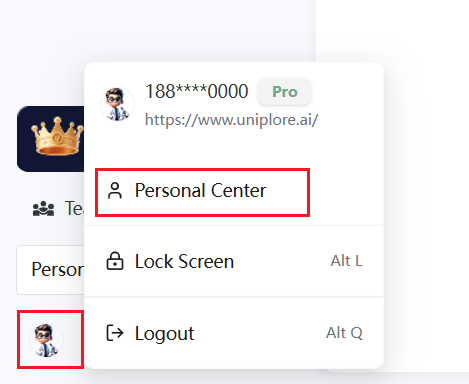
Click your avatar at the bottom-left corner of the page, then select "Personal Center" from the dropdown menu to open the settings dialog.
Core Settings
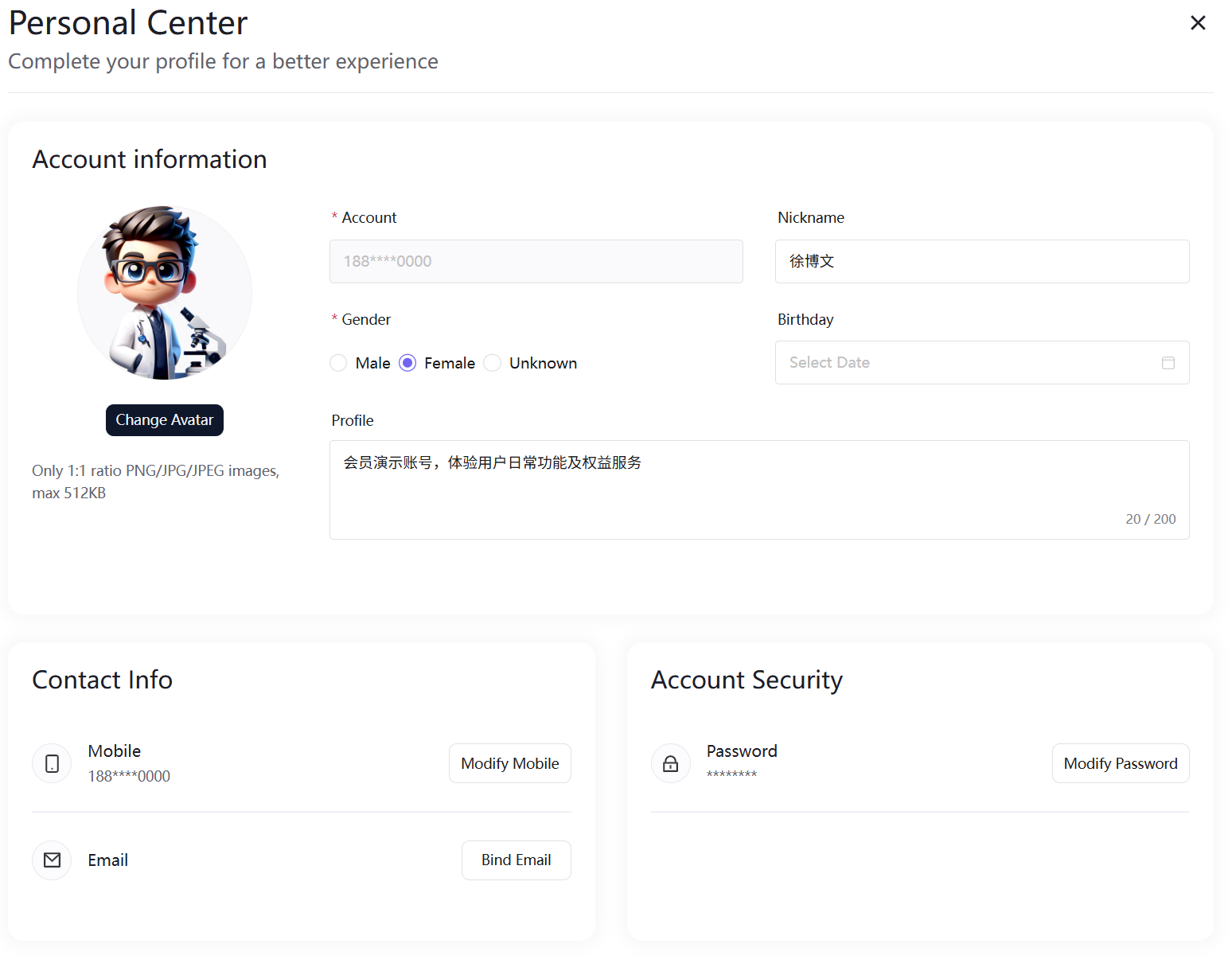
Account Information
Change Avatar
- Click "Change Avatar" below your avatar
- Upload a 1:1 ratio PNG/JPG/JPEG image, file size ≤ 512KB
- Preview and confirm to save, and your account avatar will be updated
Profile Details
| Field | Description |
|---|---|
| Account | The system displays a masked version of your bound phone number; this is fixed and cannot be edited |
| Nickname | Customizable display name |
| Gender | Select Male, Female, or Unspecified |
| Birthday | Only dates more than four years before the current date can be selected |
| Bio | Custom introduction within 200 characters |
All profile changes are saved automatically.
Contact Information
Change Phone Number: Click "Change Phone Number" next to your phone number, verify your original phone with a verification code, then enter the new phone number and its verification code to complete the change.
Change Email: Click "Change Email" next to your email address, receive a verification code from the original email, then enter the new email and verification code to update.
Account Security
Supports password changes — enter your current password, set and confirm a new password to complete the update and enhance account security.
Quick Actions
Lock Screen (Shortcut: Alt+L): Click Lock Screen to enter lock mode. A login password is required to unlock, effectively protecting your account privacy and preventing unauthorized access.
Sign Out (Shortcut: Alt+Q): Click Sign Out to clear the current session and redirect to the login page. You will need to log in again to access platform features.