Literature Library
Overview
The platform includes a built-in cross-discipline online literature search resource library, integrating multiple authoritative academic data sources to provide unified, full-domain literature search capabilities. No need to switch between platforms — search, preview, and collect literature all in one place, eliminating the hassle of tedious literature gathering and frequent platform switching.
Eligible Roles
Basic search, preview, and collection capabilities are available to all users.
Core Features
- Multi-dimensional advanced search by keywords, authors, journals, year, and DOI
- Online abstract preview and full-text access
- Batch bookmarking and one-click import to Literature Management
- Automatic search history saving for easy re-execution
User Guide
Basic Search Operations
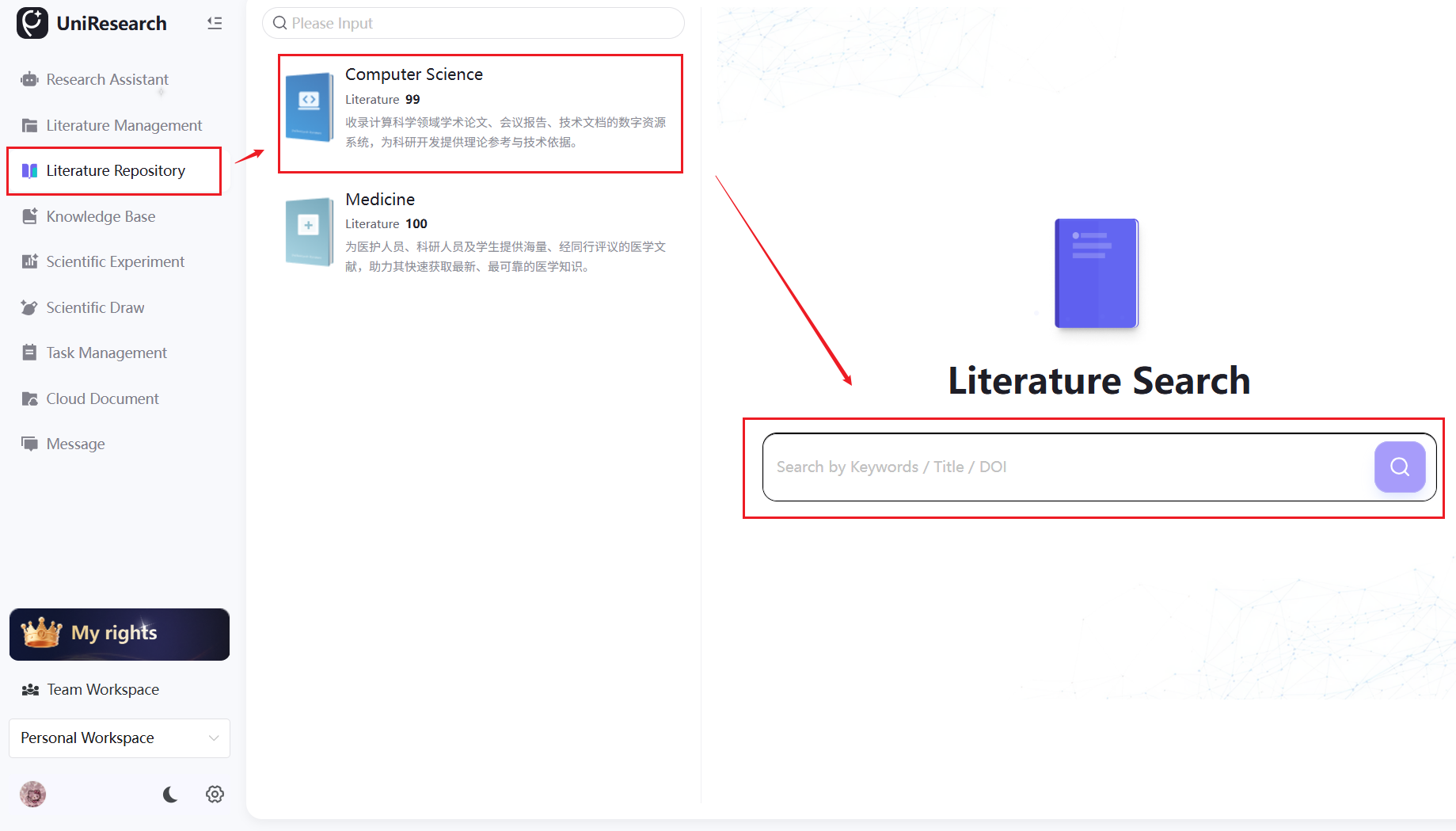
- Select a Discipline Library: Click the corresponding discipline card on the left to focus on your specific search area and precisely filter discipline-specific literature
- Search Literature: Enter keywords, paper titles, or DOI numbers in the search box and click the magnifying glass icon to execute the search
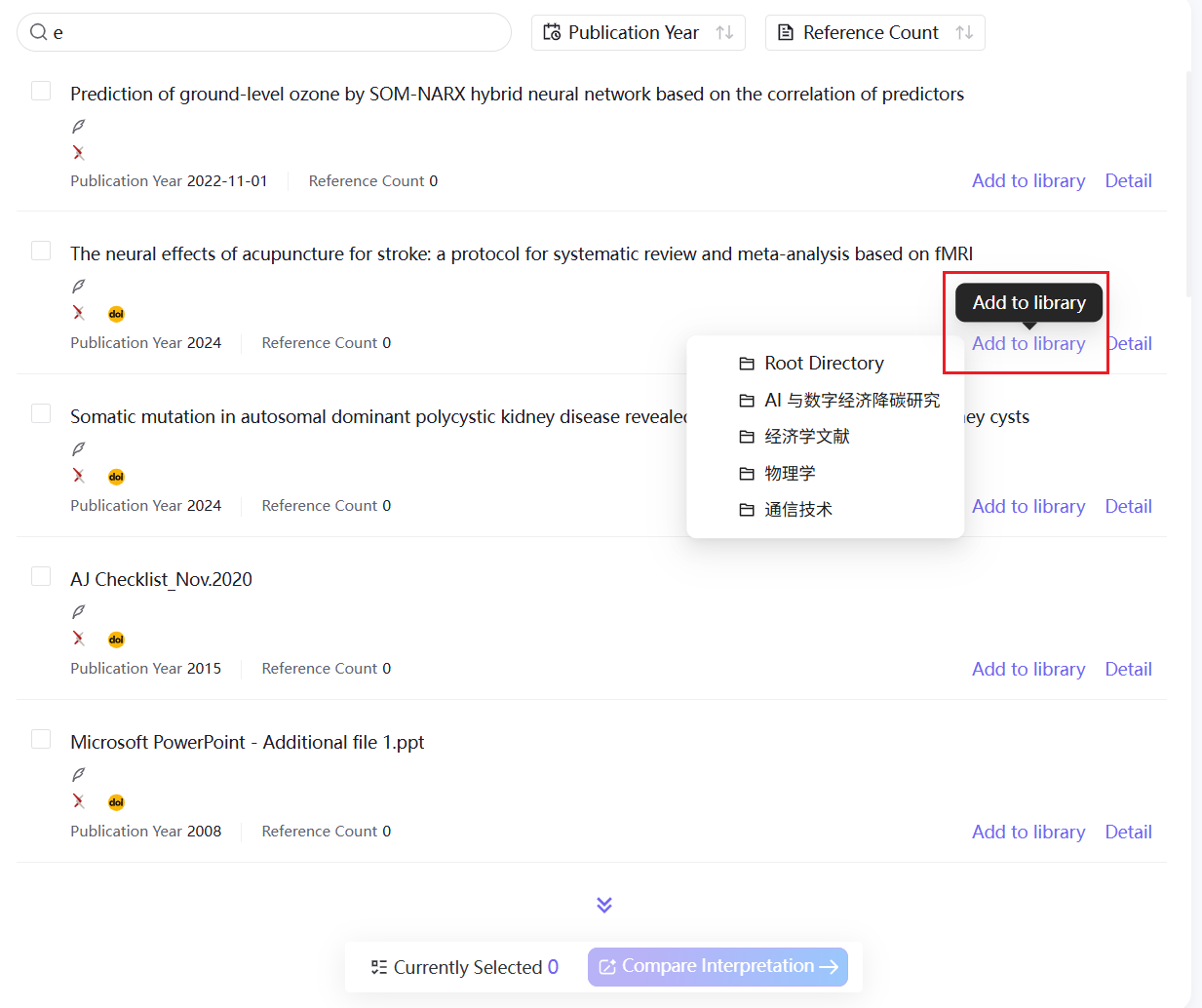
- Result Sorting: Sort by publication year or citation count (ascending/descending) to quickly identify high-value literature
Common Actions in the Literature List
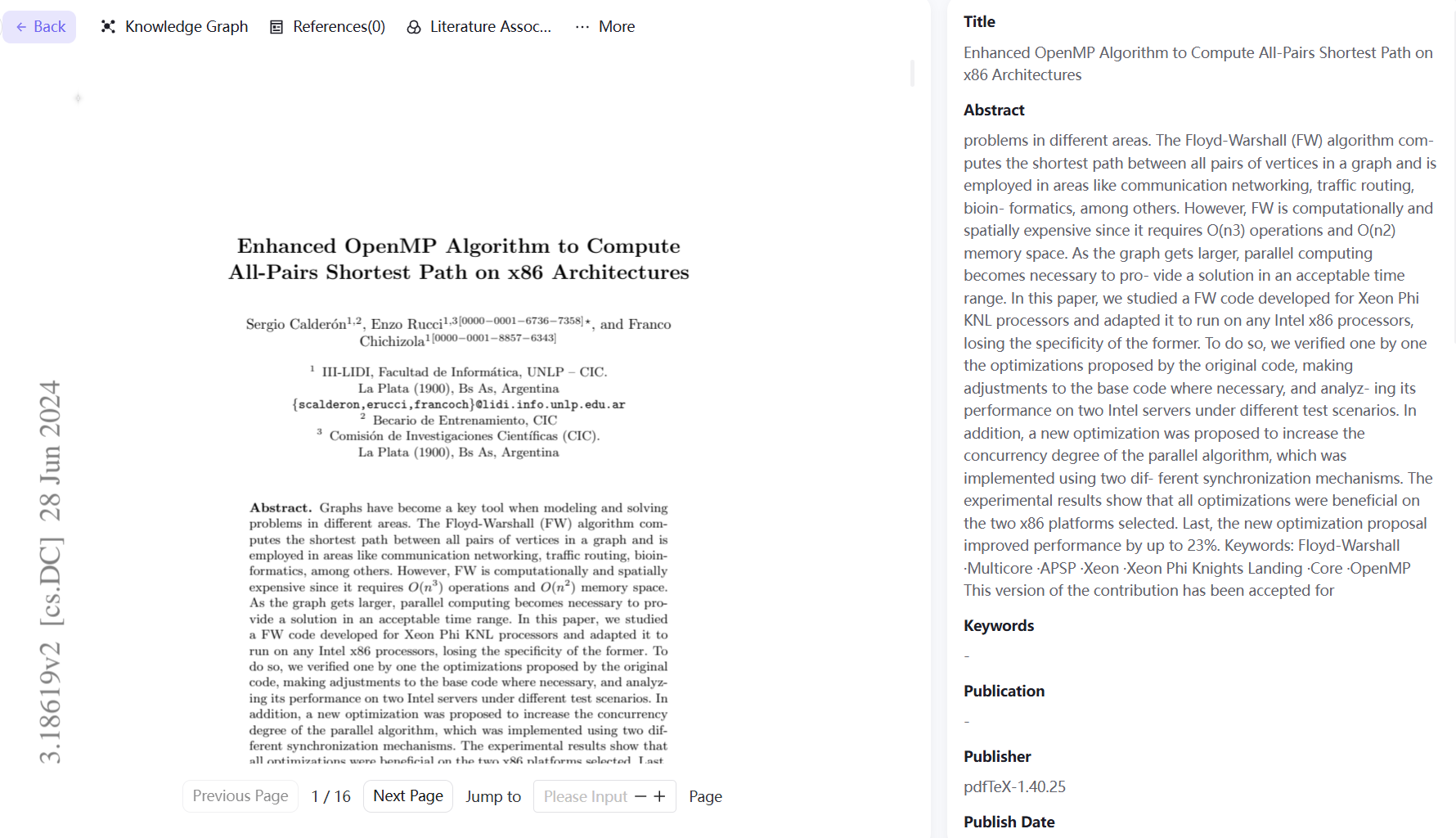
- View Details: Click "Details" on a single entry to preview the full PDF text and view complete information including abstract, authors, and journal
- Collect to Library: Click "Add to Literature Management" and select a personal/team folder to permanently collect the literature into the Literature Management module for future interpretation and organization
- Batch Comparative Analysis: Select multiple entries for batch comparative analysis (feature coming soon)
Literature Detail Capabilities
The literature detail page provides access to complete metadata, reference lists, citation relationship graphs, and research threads, helping you quickly understand the research value and relationships of a paper.