Literature Management
Overview
The Literature Management module serves as a full-lifecycle management workspace for research literatures. It covers complete workflows including literature import, categorized archiving, full-text preview, reading annotation, AI intelligent analysis, literature sharing and export. It supports upload of multiple literature types, structured metadata parsing, knowledge graph construction and literature traceability lookup, fully meeting the demands of personal and team storage, in-depth reading and extended analysis of research literatures.
Applicable Roles
- Individual Research User: Allows uploading, managing and reading personal private literatures, with full access to AI interpretation, annotation, knowledge graph, note-taking and other functions;
- Ordinary Team Member: Able to manage personal literatures and access team-shared literatures based on team permissions;
- Team Administrator: Has permissions to create team groups and control literature access rights of members.
Core Functions
- Literature Import & Management: Create categorized groups, single-file upload of multiple formats, one-click bulk import; supports web pages, journal articles, conference papers, dissertations, books, PPT, PDF and Word formats;
- Quick Operations on Literature Entries: Right-click a single literature to close preview, rename, copy name, view table information, share, download, move group or delete;
- Paged Full-text Reading: Online paginated reading of literatures with page turning and page number jump functions;
- Supporting Literature Reading Tools: View metadata, write notes, add comments and customize tags in the right-side panel;
- In-depth Literature Analysis: Literature overview, knowledge graph, citation traceability, literature relevance and AI intelligent interpretation;
- Extended Tools: Experimental data extraction, experimental analysis, literature sharing and file download.
Operation Guide
Access the Module
Click Literature Management on the left navigation bar to enter the main interface.
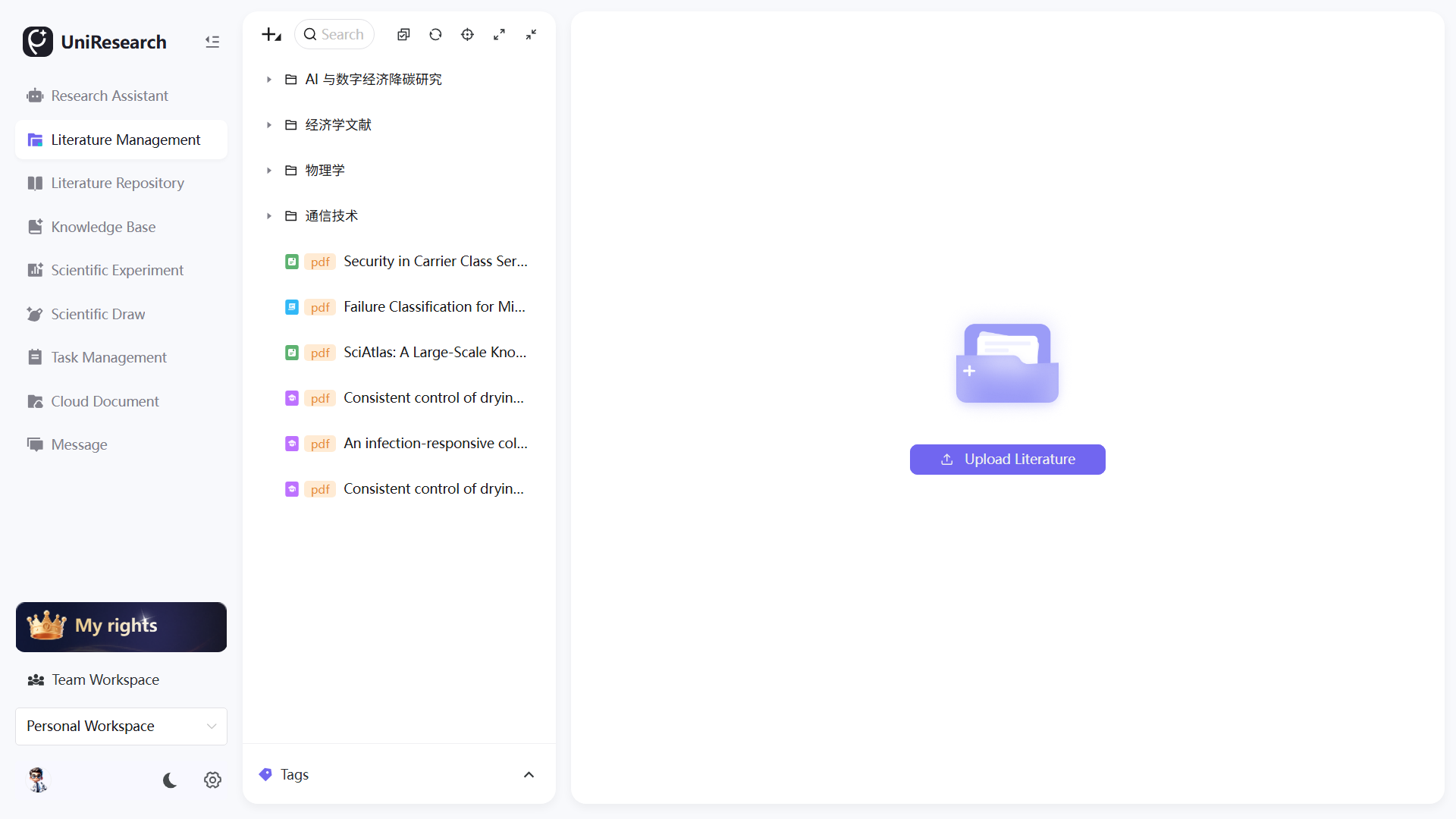
Literature Grouping & Import
- Create Groups Click the top-left + → New Group, customize the group name for classified literature archiving.
- Upload Single Literature Click the top-left + → Upload Literature, hover the mouse to expand submenus, select upload carriers as needed: web page, journal article, conference paper, dissertation, book, PPT, PDF, Word, then select local files to finish uploading.
- Bulk Import Literatures Click the top-left + → One-click Import, select multiple local literature files to upload in batches.
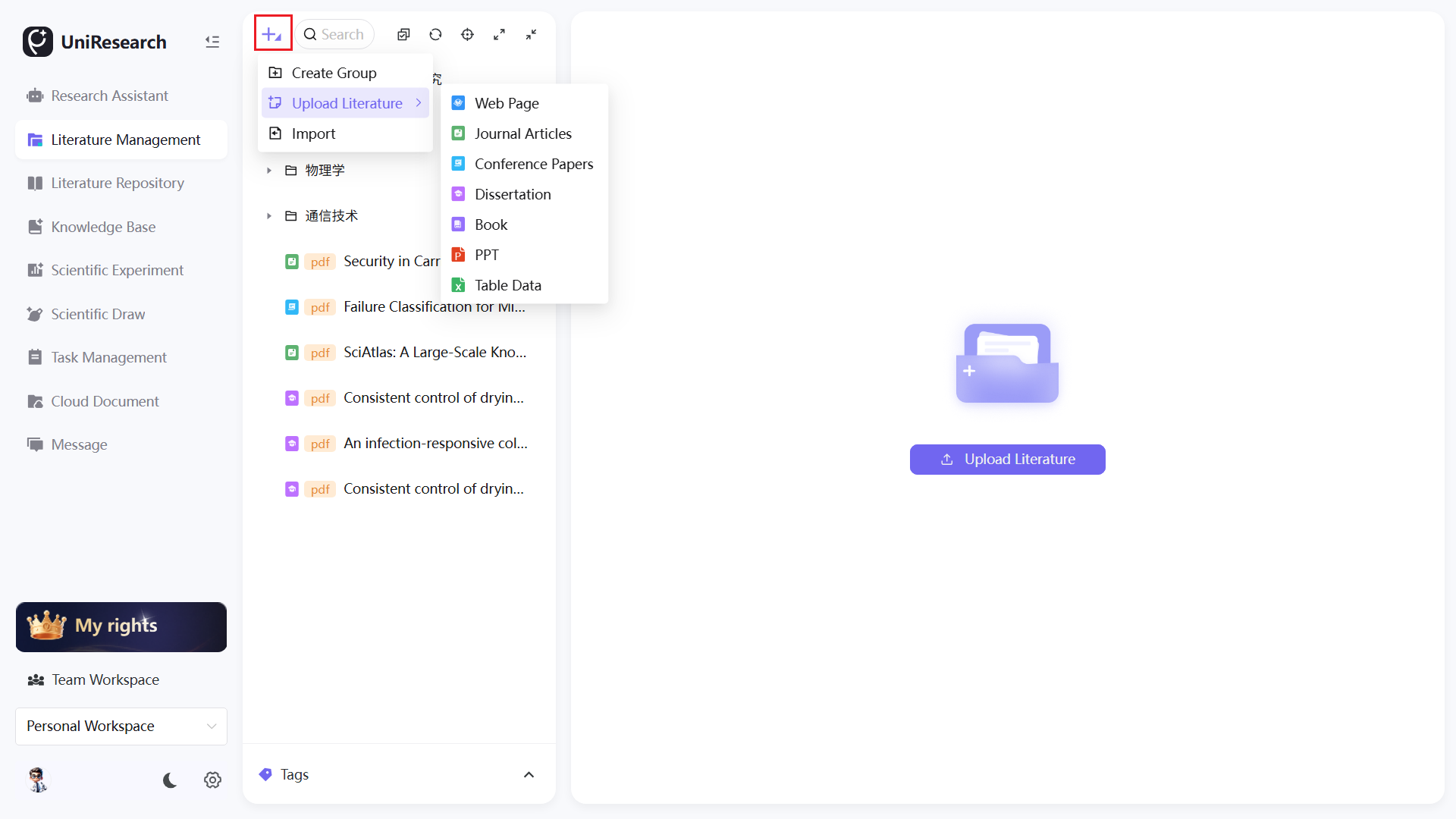
Right-click Quick Operations for Single Literature
- Right-click the target literature entry in the left literature list to pop up the operation menu;
- Operation descriptions:
- Close: Close the current literature preview panel;
- Rename: Modify the display name on the platform;
- Copy Name: Copy the literature title to clipboard with one click;
- Literature Info: View complete parsed metadata of the literature;
- Share: Generate a share link to share the literature externally;
- Download: Export the original literature file to local device;
- Move To: Migrate the literature to other custom groups;
- Delete: Remove the current literature, a secondary confirmation window will pop up to avoid misoperation.
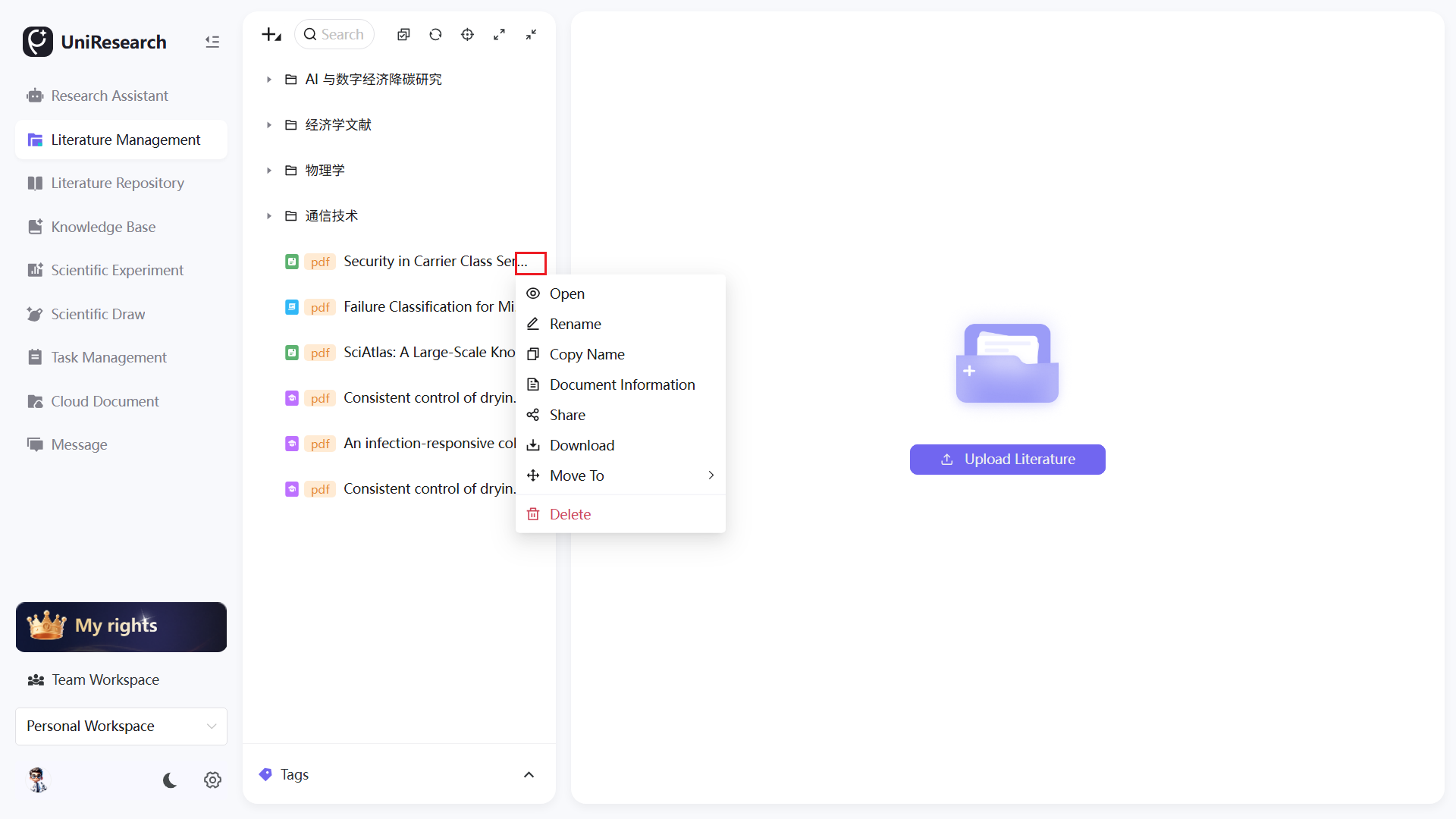
Full-text Preview & Literature Reading
- Click a literature entry on the left to load full text in the middle area; page navigation buttons Previous Page / Next Page / Page Jump are available at the bottom for reading;
- Switch tabs on the top of the right panel to complete reading operations:
- Metadata: View automatically parsed title, author, abstract, keywords, journal and publisher;
- Notes: Record reading insights for permanent storage;
- Comments: Add marks and comments on original paragraphs;
- Tags: Customize tags for literature retrieval and filtering.
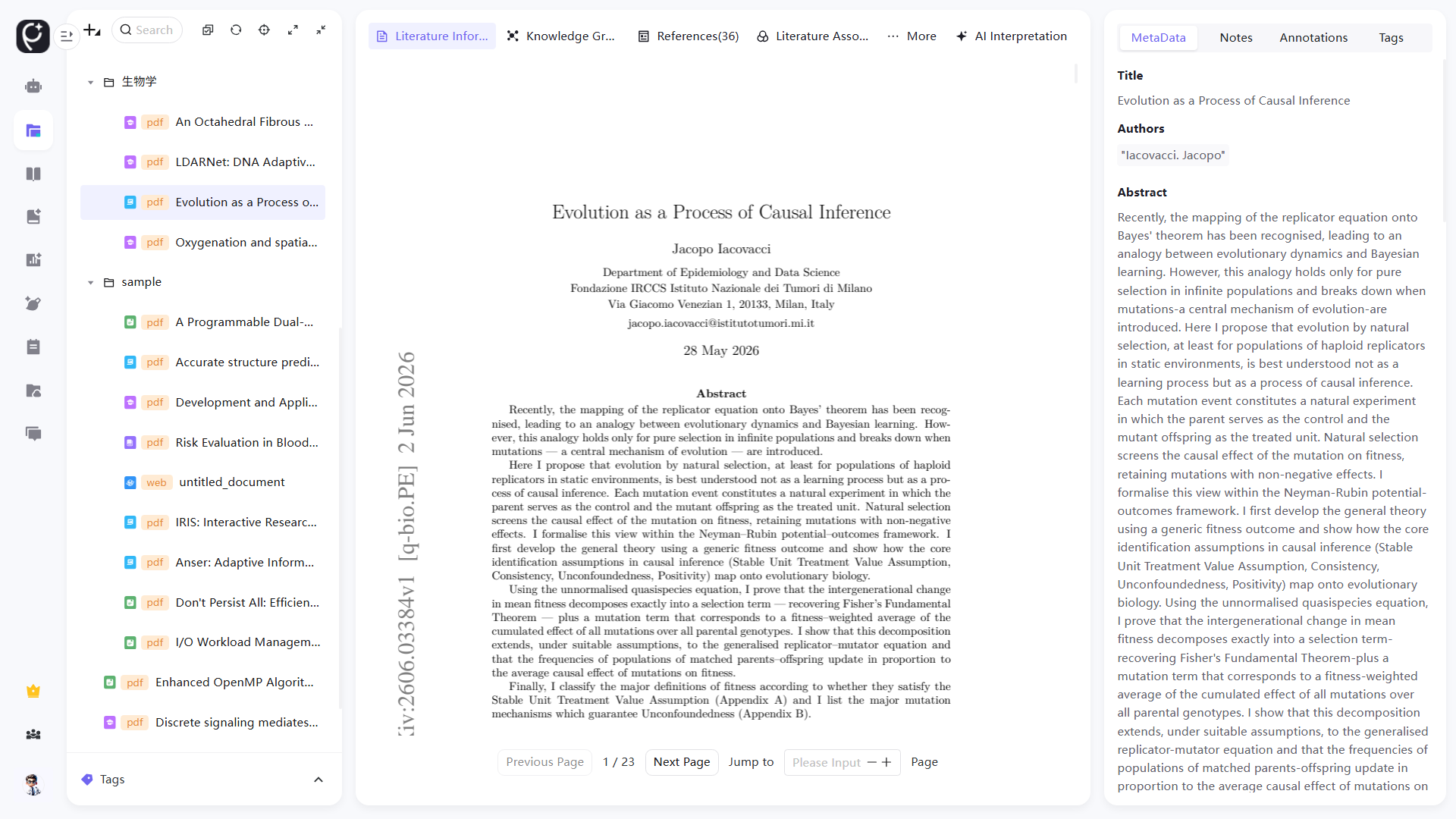
In-depth Literature Analysis Functions
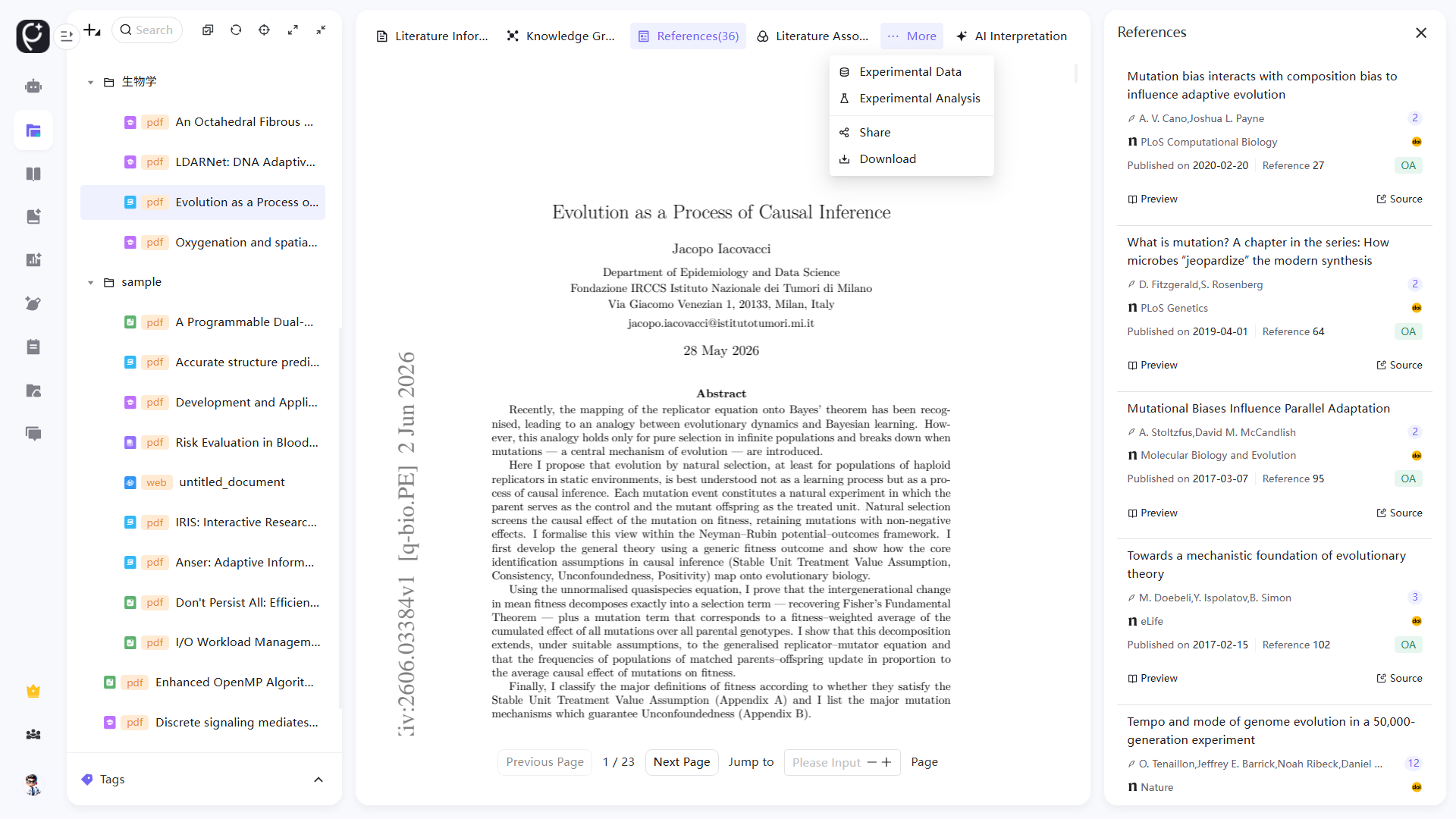
- Click tabs on the horizontal function bar at the top of the literature preview page to switch analysis views:
- Literature Info: Summary of basic literature data;
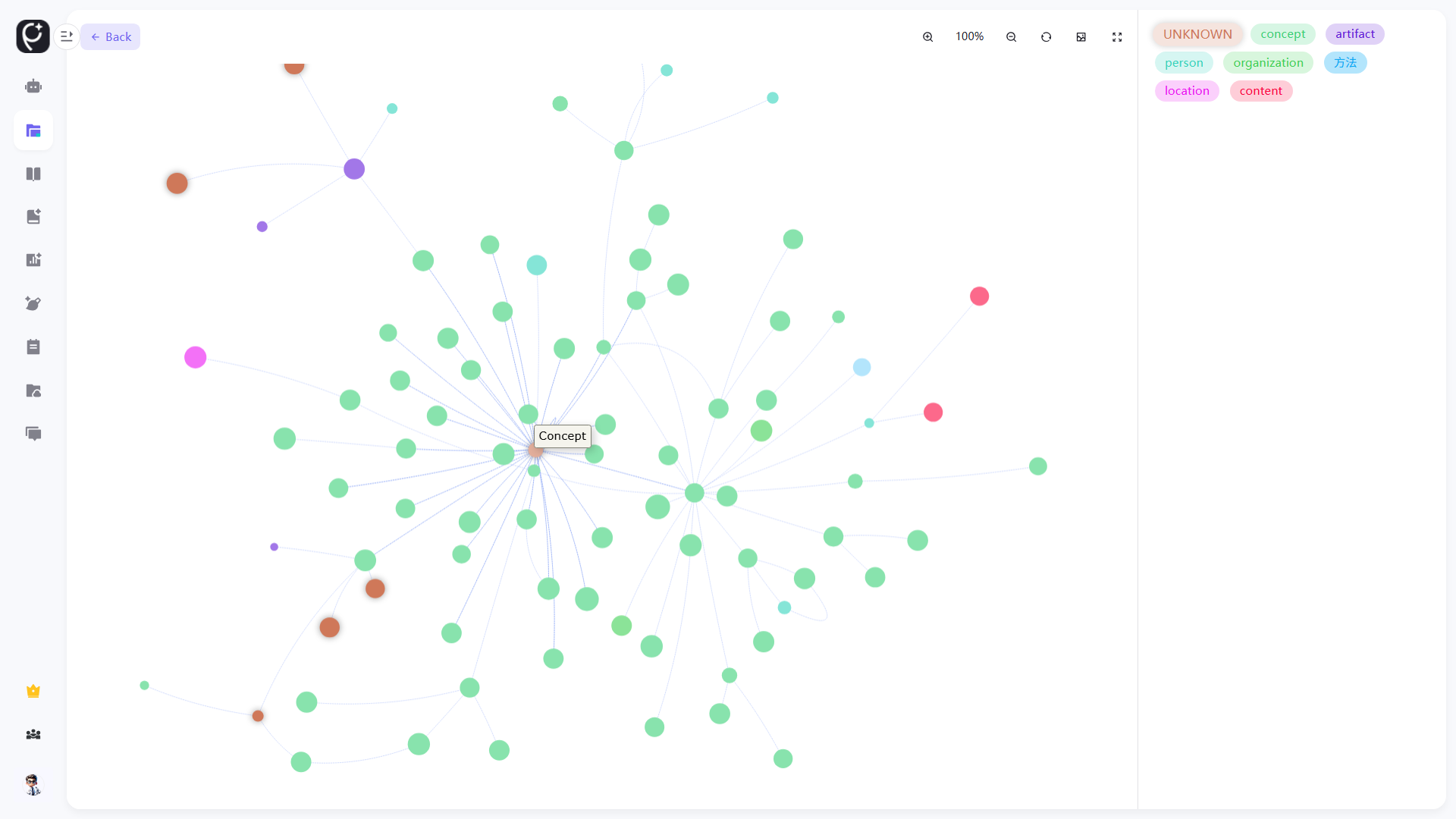
- Knowledge Graph: Automatically build visual graph of literature entities and their correlation relationships;
- Citations: View references and cited papers, supporting two-way traceability jump;
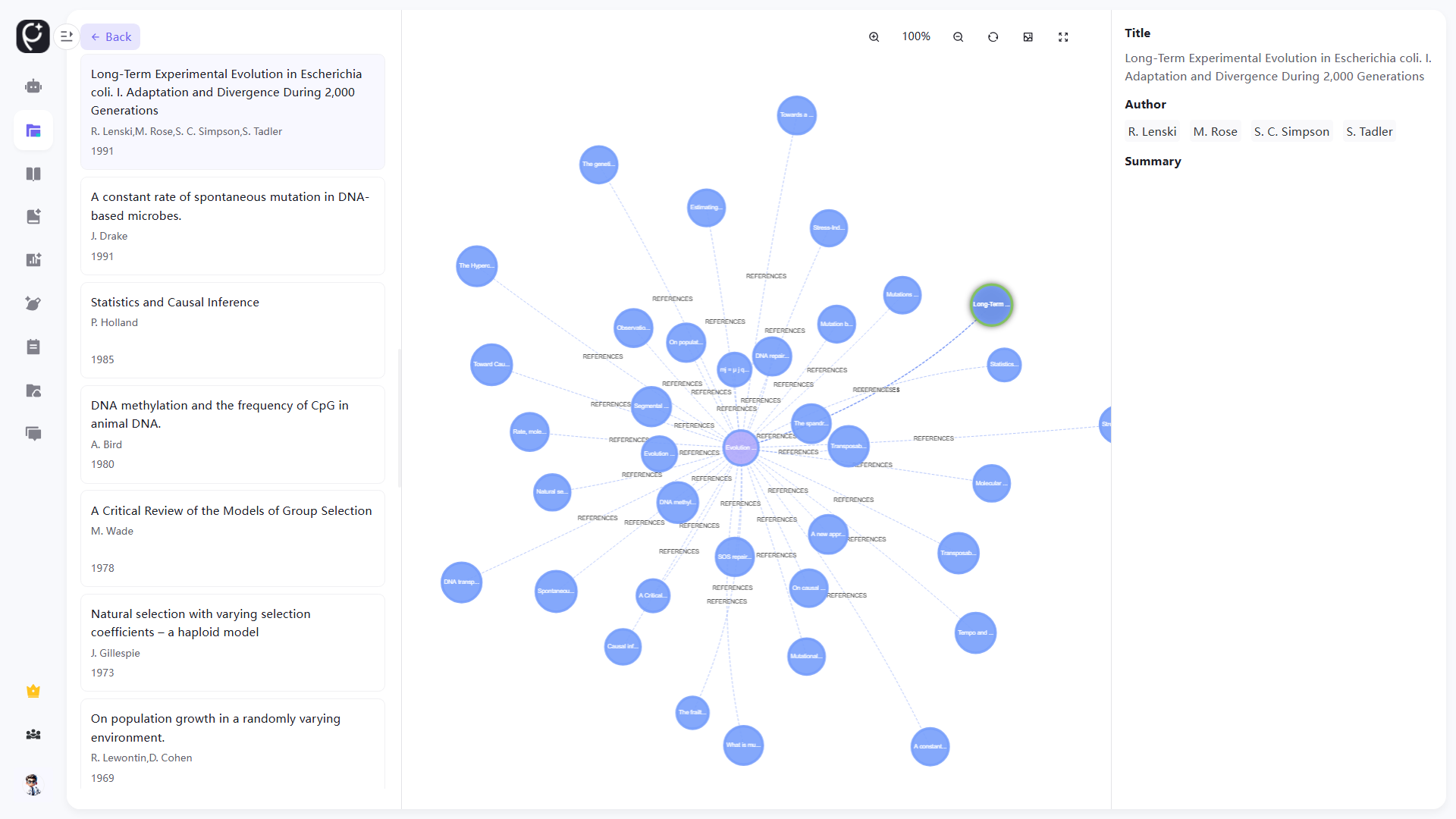
- Related Literatures: Display upstream and downstream relevant literatures in the same research field;
- AI Interpretation: Generate structured literature interpretation content by AI;
- Expand functions in the drop-down menu of More at the top-right corner: Experimental Data, Experimental Analysis, Share and Download.
Knowledge Graph
Literature Relevance Graph
Function Specifications
Literature Import & Grouping
| Function Name | Description |
|---|---|
| New Group | Create custom classified folders for layered archiving of literatures by research topics or subjects; multi-level group management is supported |
| Upload Literature (Multi-type) | Supports upload of web pages, journal articles, conference papers, dissertations, books and PPT/PDF files; the system automatically parses literature metadata |
| One-click Import | Batch select multiple local files and upload them at once to improve the efficiency of mass literature storage |
Right-click Quick Operations for Literatures
| Function Name | Description |
|---|---|
| Close | Clear the middle preview area and close the currently opened literature |
| Rename | Modify the display name of the literature on the platform without changing the name of the original local file |
| Copy Name | Quickly copy the literature title for writing reference lists in papers |
| Table Info | Display all parsed fields in table format, supporting copy and export of structured data |
| Share | Generate an externally accessible share link with configurable access validity period and permissions |
| Download | Export original PDF/source files to local devices |
| Move To | Migrate literatures across groups; a single literature can only belong to one group |
| Delete | Remove the literature; deleted data cannot be recovered |
Full-text Preview & Reading Panel
- Paged Reading: Supports page switching and designated page jump, suitable for reading long literatures;
- Metadata: Automatically extract title, author, abstract, keywords, journal and publisher after upload;
- Notes: Independent text recording area to store reading insights, permanently bound to the corresponding literature;
- Comments: Anchor marks on original paragraphs to distinguish key points, questions and conclusions;
- Tags: Custom tags to mark research fields and methodologies of literatures for fast retrieval and filtering.
In-depth Literature Analysis Tools
| Function Name | Description |
|---|---|
| Knowledge Graph | Extract literature entities and research relationships based on LightRAG, and visually display the research context of the field |
| Citations | Show references and cited papers, supporting internal two-way jump and external new tab access to original websites |
| Related Literatures | Retrieve upstream and downstream relevant literatures based on keywords and research fields to expand reading scope |
| AI Interpretation | Generate standardized structured interpretations by AI, supporting partial text interpretation and comparative analysis of multiple literatures |
| Experimental Data / Experimental Analysis | Extract, summarize and display experimental parameters, datasets and indicator results for experimental literatures |
General Extended Operations
- Share: Consistent with the share function in the right-click menu, quickly generate literature sharing links;
- Download: Consistent with the download function in the right-click menu, export original literature files to local devices.